How to Use Moz Pro for SEO (Complete Beginner's Tutorial 2026)
Learn how to use Moz Pro like an SEO pro. Step-by-step guide covering keyword research, site audits, link building, and rank tracking.

In this article
How to Use Moz Pro for SEO (2026 Complete Tutorial)
Moz Pro is one of the most beginner-friendly SEO tools available. But even simple tools need guidance.
This tutorial walks you through everything Moz Pro can do - with practical examples.
📚 What This Guide Covers
- • Setting up your first campaign
- • Keyword research basics
- • Running a site audit
- • Tracking your rankings
- • Analyzing backlinks
📌Getting Started: Your First Campaign
When you first log into Moz Pro, create a campaign for your website:
- Click "Create Campaign"
- Enter your website URL
- Add your target keywords (10-50 to start)
- Select your competitors (2-5 sites)
- Save and let Moz crawl your site
This takes 24-48 hours for the first crawl.
📌Using Keyword Explorer
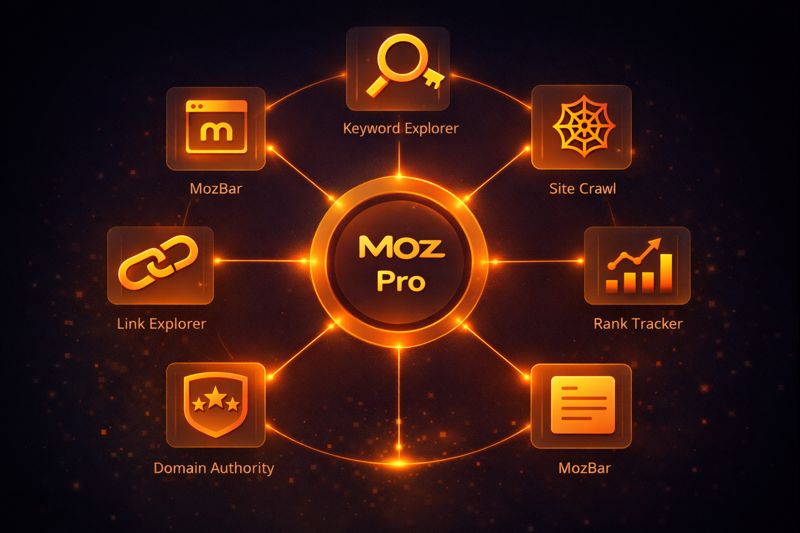
Moz's Keyword Explorer is perfect for beginners:
Step 1: Enter a Seed Keyword
- Go to Keyword Explorer
- Type your main topic (e.g., "AI tools")
- Click "Analyze"
Step 2: Understand the Metrics
| Metric | What It Means | Good Range |
|---|---|---|
| Monthly Volume | Searches per month | 100-10K |
| Difficulty | How hard to rank (1-100) | Under 40 |
| Organic CTR | % of clicks to organic results | Over 50% |
| Priority | Moz's combined score | Over 50 |
Step 3: Find Related Keywords
- Click "Keyword Suggestions"
- Filter by Difficulty: 1-30
- Look for questions and long-tail variations
Pro Tip: The "Priority" score combines volume, difficulty, and CTR. Higher is better.
📌Running a Site Audit
Moz's site crawler finds technical SEO issues:
How to Run an Audit:
- Go to your campaign
- Click "Site Crawl"
- Wait for the crawl to complete
- Review issues by priority
Common Issues Moz Finds:
| Issue | Impact | Fix |
|---|---|---|
| Missing title tags | High | Add unique titles |
| Duplicate content | High | Canonicalize or remove |
| Broken links | Medium | Fix or redirect |
| Slow pages | Medium | Optimize images, caching |
| Missing alt text | Low | Add descriptive alt text |
Fix Critical and High issues first.
📌Tracking Your Rankings
See how your keywords perform over time:
Setting Up Rank Tracking:
- Go to "Rankings" in your campaign
- Your tracked keywords appear automatically
- Check weekly for most sites
What to Look For:
- Green arrows: Rankings improving
- Red arrows: Rankings dropping
- Position changes: Track big jumps
Pro Tips:
- Add competitor domains to compare rankings
- Focus on keywords in positions 5-20 (easy wins)
- Don't panic at small fluctuations
📌Analyzing Backlinks with Link Explorer
Moz's backlink tool helps you:
Check Your Own Backlinks:
- Go to Link Explorer
- Enter your domain
- Review:
- Domain Authority (DA): Your site's strength (1-100)
- Linking Domains: Unique sites linking to you
- Inbound Links: Total backlinks
Spy on Competitors:
- Enter a competitor's URL
- Click "Linking Domains"
- Find sites linking to them but not you
- Reach out for links!
📌Understanding Domain Authority (DA)
Moz invented DA, and it's still industry-standard:
| DA Score | Site Quality | Examples |
|---|---|---|
| 1-20 | New/small sites | New blogs |
| 21-40 | Growing sites | Established blogs |
| 41-60 | Strong sites | Industry publications |
| 61-80 | Very strong | Major news sites |
| 81-100 | Top sites | Google, Facebook |
Your goal: Increase DA over time through quality backlinks.
📌Moz Pro Workflow (Weekly)
Here's how to use Moz Pro efficiently:
Monday: Check Rankings
- Review position changes
- Note keywords moving up/down
Tuesday: Review Site Crawl
- Check for new issues
- Fix critical problems
Wednesday: Keyword Research
- Find new keyword opportunities
- Plan next week's content
Thursday: Competitor Analysis
- Check competitor rankings
- Find their new backlinks
Friday: Link Building
- Use Link Explorer finding opportunities
- Reach out to prospects
❓❓ Frequently Asked Questions
Is Moz Pro good for beginners?
Yes! Moz Pro is the most beginner-friendly SEO tool. The interface is clean, and the learning resources are excellent.
How is Domain Authority calculated?
DA is based on linking domains, total links, and link quality. It's updated monthly and predicts how likely a site is to rank.
Can I use Moz Pro for free?
Moz offers free tools (Link Explorer, Keyword Explorer) with limited queries. Moz Pro has a 30-day free trial for full access.
Moz Pro vs Ahrefs: Which is better?
Moz Pro is better for beginners and those who value simplicity. Ahrefs is better for advanced users and link builders. See our full comparison.
📌Getting the Most from Moz Pro
- Start with Site Crawl - Fix technical issues first
- Focus on Priority Score - It's the best single metric
- Track competitors - Learn from what works for them
- Check DA monthly - It's a long-term metric
- Use MozBar - Free Chrome extension for quick checks
Related: Moz Pro Review 2026 | Moz vs Semrush vs Ahrefs | Free SEO Tools
Tools Mentioned in This Article
AI Fuel Hub Editorial Team
A collective of AI researchers, engineers, and product experts dedicated to testing and reviewing AI tools. Combined 50+ years of experience in artificial intelligence.