How to Start a YouTube Automation Channel with AI (Step-by-Step) 🤖
Learn how to build a profitable faceless YouTube automation channel in 2026 using AI. Complete guide to niches, tools, monetization, and scaling strategies.

In this article
How to Start a YouTube Automation Channel with AI (Step-by-Step)
Last Updated: January 2026
YouTube automation is no longer the side hustle of the future—it's the passive income goldmine of right now. In 2026, AI tools have made it possible to run entire YouTube channels without ever showing your face, recording your voice, or even writing your own scripts.
I'm talking about faceless channels earning $10,000–$50,000 per month with minimal daily effort. And no, this isn't some guru scam. It's happening right now, and the barrier to entry has never been lower.
This guide will walk you through every step—from picking a profitable niche to scaling your first channel to 100K subscribers.
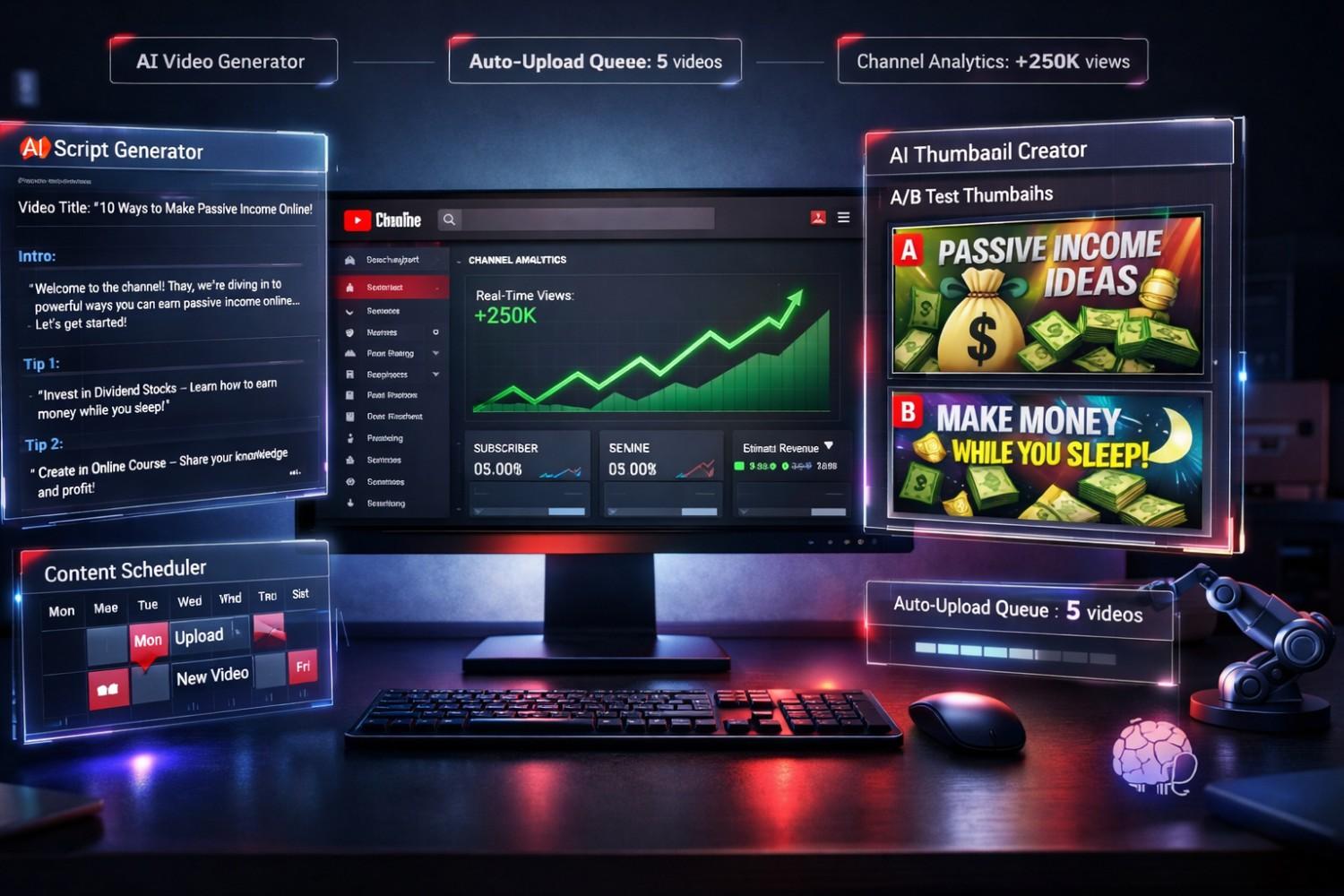
🚀 Quick Snapshot: What You'll Learn
- How to choose a profitable niche (without guessing)
- The exact AI tools successful automation channels use
- How to create videos without filming or voiceover work
- Monetization strategies beyond AdSense for high RPM
- Scaling secrets from $0 to $10K/month
📖What is YouTube Automation? (And How It Actually Works) (And How It Actually Works)
YouTube automation is the process of creating and uploading videos without doing the manual work yourself. You leverage:
- AI tools for scriptwriting, voiceovers, and video creation
- Outsourcing (optional) for editing and thumbnail design
- Automation software for scheduling and publishing
The result? A "faceless" channel that generates revenue 24/7 while you focus on strategy and growth.
💡 Real Example: Cash Cow Channels
Channels like TopFives (8M+ subscribers), Luxury Zone (1.5M subscribers), and TheRichest (16M+ subscribers) are all automation channels. None show a host's face. All generate millions in revenue.
Is YouTube Automation Still Profitable in 2026?
Absolutely. Here's why:
- Higher RPM than ever: Tier 1 countries (US, UK, Canada, Australia) see RPMs of $10–$40 in lucrative niches like finance, tech, and AI.
- AI lowers costs: What used to cost $500/video in outsourcing now costs $50 with AI tools.
- Less competition in smart niches: Everyone rushes to trending topics. You'll target evergreen content with long-tail traffic.
🎯Step 1: Choose a Profitable Niche (The Most Critical Decision)
Your niche determines everything: your RPM, subscriber growth, and long-term sustainability. Here's how to pick a winner.
High-RPM Niches for YouTube Automation (2026)
| Niche | Average RPM | Competition | Sustainability |
|---|---|---|---|
| AI & Technology | $15–$40 | Medium | ⭐⭐⭐⭐⭐ |
| Finance & Investing | $20–$50 | High | ⭐⭐⭐⭐⭐ |
| Cryptocurrency | $12–$30 | High | ⭐⭐⭐⭐ |
| Self-Improvement | $8–$20 | High | ⭐⭐⭐⭐ |
| Mystery & True Crime | $6–$15 | Medium | ⭐⭐⭐⭐ |
| Space & Science | $10–$25 | Low | ⭐⭐⭐⭐⭐ |
| Luxury & Lifestyle | $5–$15 | Medium | ⭐⭐⭐ |
✅ Our Top Pick for Beginners: AI & Technology
Why? High RPM ($15–$40), evergreen content, insane search volume ("ChatGPT tutorial," "AI tools," etc.), and relatively low production complexity. Plus, you can cross-promote AI tools from SuperAISuite for affiliate income.
How to Validate Your Niche (Before You Waste Time)
Don't guess. Use data. Here's the 3-step validation process:
- Search Volume Check — Use VidIQ or TubeBuddy to find keywords with 10K+ monthly searches.
- Competition Analysis — Find 3–5 channels with 100K–500K subscribers in your niche. If they exist and monetize, the niche works.
- RPM Research — Visit YouTube monetization forums or use tools like Social Blade to estimate earnings.
⚠️ Avoid These Niches
- Kids' Content — Heavily restricted by COPPA, low RPM
- Gaming (generic) — Oversaturated, declining RPM
- Music Compilations — Copyright nightmares, demonetization risk
- News/Politics — Advertiser-unfriendly, high demonetization
🎯Step 2: Set Up Your YouTube Channel for Success
Before you upload a single video, you need to build credibility and trust. Here's how:
Channel Setup Checklist
- Channel Name: Make it niche-specific and memorable (e.g., "AI Daily," "Crypto Decoded," "Space Insights").
- Channel Banner: Use Canva or AI tools to create a professional 2560x1440 banner.
- Profile Picture: Branded logo (use AI logo generators like Looka or Hatchful).
- About Section: Clearly describe what viewers will learn. Include keywords.
- Channel Trailer: A 60-second intro explaining your channel's value (use AI voiceover).
💎 Pro Tip: Optimize for Search from Day 1
Include your primary keyword (e.g., "YouTube automation," "AI tools") in your channel name and description. YouTube's algorithm prioritizes SEO even for small channels.
🎯Step 3: Create Your First Video Using AI (No Filming Required)
This is where the magic happens. Here's the exact workflow used by top automation channels.
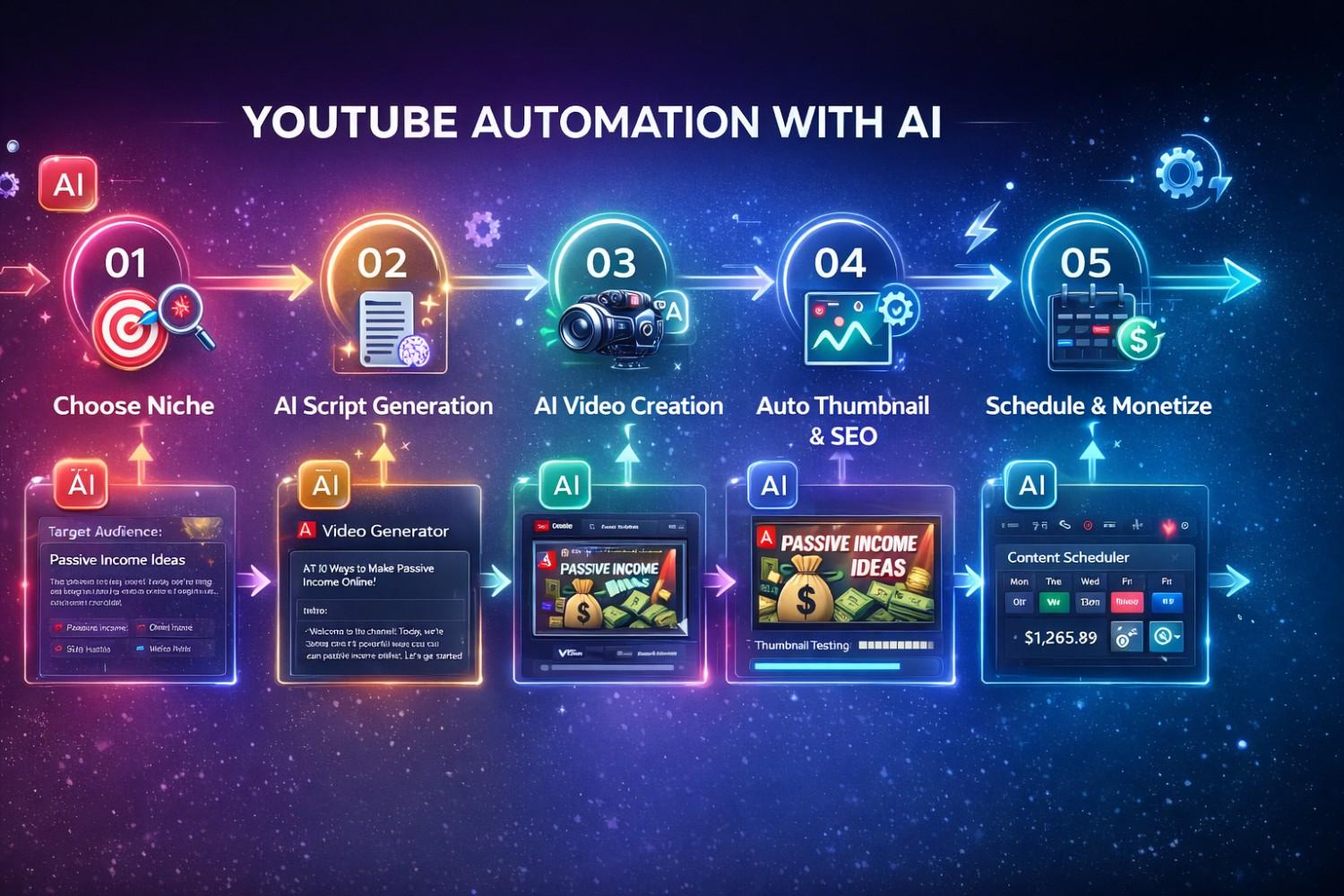
The 5-Step AI Video Creation Process
1. Generate a Script with AI
Use AI to write compelling, engaging scripts in minutes.
Best Tools:
- ChatGPT — The industry standard. Use prompts like:
"Write a 1,500-word YouTube script about '10 Best AI Video Generators in 2026.' Include a hook, key points, and a CTA." - Claude AI — Better for long-form, detailed content.
- Jasper AI — Optimized for marketing copy and engagement.
📝 Script Template
Every high-performing automation video follows this structure:
- Hook (0–10 sec) — Grab attention immediately
- Problem (10–30 sec) — State the viewer's pain point
- Solution (30 sec–8 min) — Deliver value with steps/tips
- CTA (Last 15 sec) — Like, subscribe, affiliate link
2. Create Voiceover with AI
No need to record your own voice. AI voiceovers now sound 95% human.
Best AI Voice Tools:
- ElevenLabs — Most realistic voices, supports 29 languages
- Murf.ai — Professional voiceovers, great for tutorials
- Play.ht — Fast, affordable, great for bulk video creation
Pro Tip: Use a consistent voice across all videos to build brand recognition.
3. Generate Video Content with AI
Now for the visuals. You have two options:
Option A: AI Stock Footage Compilation
- Use tools like Pictory.ai or InVideo to match your script with stock footage automatically.
- Best for: Informational content, tutorials, list videos.
Option B: AI-Generated Video
- Use Runway Gen-4, OpenAI Sora, or Pika Labs to create custom AI video clips.
- Best for: Creative storytelling, futuristic content, unique visuals.
💡Related: Check out our Best AI Video Generators in 2026 for detailed comparisons.
4. Edit with AI-Powered Tools
Recommended Editing Tools:
- Descript — Edit video by editing text (like a Google Doc)
- CapCut — Free, fast, AI-powered auto-captions
- Filmora — Beginner-friendly with AI scene detection
Add:
- Auto-captions (85% of viewers watch on mute)
- Background music (use YouTube Audio Library or Epidemic Sound)
- B-roll footage to maintain engagement
5. Create Thumbnails with AI
Thumbnails are responsible for 50%+ of your clicks. Don't skip this.
Best Thumbnail Tools:
- Canva — Templates + AI background remover
- PhotoRoom — Instant background removal
- Midjourney or DALL·E 3 — Generate custom thumbnail graphics
Winning Thumbnail Formula:
- Bold text (max 6 words, easy to read on mobile)
- High contrast colors (red, yellow, blue against dark backgrounds)
- Faces with emotions (shock, excitement, curiosity)
- Visual hierarchy (focal point in top-left or center)
🎯Step 4: Upload, Optimize, and Schedule for Maximum Reach
Your video is ready. Now, let's make sure YouTube's algorithm actually promotes it.
YouTube SEO Checklist
✅ Pre-Upload Optimization
- Video Title: Include primary keyword, keep under 60 characters
- Description: First 150 characters are crucial (include keyword + hook)
- Tags: Use 10–15 relevant tags (primary keyword + variations)
- End Screen: Promote your best video + subscribe button
- Cards: Add 2–3 cards linking to related content
Best Upload Schedule for New Channels
Consistency > perfection. Start with:
- 2–3 videos per week for the first 3 months
- Same days/times (trains the algorithm and your audience)
- Evergreen content that stays relevant for 6+ months
Pro Tip: Use TubeBuddy's Publish Schedule to find optimal upload times for your niche.
🎯Step 5: Monetize Beyond AdSense (The Real Money)
AdSense is great, but the real wealth is in diversification. Here's how top automation channels make 5–10x more than AdSense alone.
YouTube Automation Revenue Streams
| Revenue Source | Potential Earnings | Difficulty |
|---|---|---|
| AdSense | $500–$5,000/mo | Easy |
| Affiliate Marketing | $1,000–$20,000/mo | Medium |
| Sponsorships | $500–$10,000/video | Medium |
| Digital Products | $2,000–$50,000/mo | Hard |
| Channel Memberships | $500–$5,000/mo | Easy |
💰 The $50K/Month Blueprint
- AdSense: $5,000 (500K views @ $10 RPM)
- Affiliate Links: $15,000 (promoting AI tools, courses)
- Sponsored Videos: $10,000 (2 sponsorships/month @ $5K each)
- Digital Course: $20,000 (selling your own course/templates)
Total: $50,000/month
Best Affiliate Programs for YouTube Automation
If you're in the AI & Tech niche:
- AI Tools — SuperAISuite tools (high commissions, recurring revenue)
- Courses — Udemy, Coursera (5–20% commission)
- Software — VidIQ, TubeBuddy, Canva (recurring commissions)
- Hosting — Bluehost, Hostinger (20–30% commissions)
How to Promote Without Being Salesy:
- Mention tools you actually use in your workflow
- Create "X vs Y" comparison videos
- Add affiliate links in description (disclose with "Affiliate link")
🎯Step 6: Scale to $10K/Month and Beyond
Once you've validated your niche and workflow, it's time to scale.
The 3-Phase Scaling Strategy
Phase 1: Validate (Months 1–3)
- Upload 20–30 videos
- Test different formats (tutorials, lists, comparisons)
- Track which videos get the best CTR and watch time
- Goal: 1,000 subscribers, 4,000 watch hours (monetization threshold)
Phase 2: Optimize (Months 4–6)
- Double down on what works
- Improve thumbnails and titles for top performers
- Start affiliate marketing and sponsorship outreach
- Goal: 10,000 subscribers, $1,000–$3,000/month revenue
Phase 3: Automate (Months 7–12)
- Hire virtual assistants for editing/thumbnails (Fiverr, Upwork)
- Build SOPs (Standard Operating Procedures) for every task
- Launch second channel or scale upload frequency
- Goal: 50,000–100,000 subscribers, $10,000+/month revenue
🎯 Key Metrics to Track Weekly
- CTR (Click-Through Rate): Target 8–12%
- Average View Duration: Target 50–60%
- Subscriber Conversion Rate: Target 3–5% per video
- RPM: Track by video and optimize high-performing topics
⚠️Common Mistakes to Avoid (Learn from Others' Failures)
After analyzing 100+ failed automation channels, here are the killers:
🚫 The 5 Fatal Mistakes
- Choosing a low-RPM niche — No matter how many views, low RPM = low income
- Inconsistent uploads — YouTube punishes inconsistency. Upload on schedule or don't start.
- Ignoring analytics — If you're not tracking CTR, retention, and traffic sources, you're flying blind.
- Over-reliance on trends — Trends fade. Build evergreen content for long-term traffic.
- Not optimizing thumbnails — 90% of failed channels have terrible thumbnails. Fix this first.
📌Essential Tools for YouTube Automation (My Tech Stack)
Here's the exact toolkit I recommend:
Content Creation
- Script: ChatGPT or Claude
- Voiceover: ElevenLabs
- Video Creation: Pictory.ai or Runway
- Editing: Descript or CapCut
- Thumbnails: Canva + PhotoRoom
SEO & Analytics
Automation & Scheduling
- Upload Scheduling: TubeBuddy's Publish Queue
- Social Sharing: Buffer or Hootsuite
- Email List: ConvertKit (for building audience off YouTube)
❓Frequently Asked Questions
How much does it cost to start a YouTube automation channel? ▼
You can start for $0–$100/month. Free options exist for every tool (ChatGPT Free, CapCut, Canva Free). If you invest, budget $50–$100/month for premium AI tools like ElevenLabs, Pictory, or VidIQ.
How long until I can monetize a YouTube automation channel? ▼
To join the YouTube Partner Program, you need 1,000 subscribers and 4,000 watch hours. With consistent uploads (3 videos/week), most channels hit this in 3–6 months. However, you can start affiliate marketing immediately.
Is YouTube automation against YouTube's Terms of Service? ▼
No. YouTube automation is 100% allowed as long as you create original content. You cannot reupload others' videos or use copyrighted material without permission. AI-generated scripts, voiceovers, and visuals are completely fine.
What's the best AI tool for YouTube automation? ▼
For beginners, Pictory.ai is the best all-in-one solution (script-to-video in minutes). For professionals, Runway Gen-4 offers unmatched creative control. For voiceovers, ElevenLabs is the industry standard.
Can I run multiple YouTube automation channels at once? ▼
Yes, and many successful creators do. Start with one channel until you hit $5,000/month, then replicate your workflow for a second niche. Use the same AI tools and SOPs to scale efficiently.
📌Final Thoughts: Your 30-Day Action Plan
YouTube automation is a real business, not a get-rich-quick scheme. Here's your roadmap:
📅 30-Day YouTube Automation Launch Plan
Week 1: Research & Setup
- Validate your niche using VidIQ
- Set up YouTube channel (branding, about, SEO)
- Create accounts for AI tools
Week 2: Create First 5 Videos
- Write 5 scripts with ChatGPT
- Generate voiceovers with ElevenLabs
- Create videos with Pictory or Runway
Week 3: Upload & Optimize
- Upload videos with full SEO (titles, descriptions, tags)
- Design thumbnails in Canva
- Schedule uploads for consistency
Week 4: Promote & Analyze
- Share videos on Reddit, Twitter, Facebook groups
- Track analytics (CTR, retention, traffic sources)
- Create next 5 videos based on what worked
The best time to start was 2 years ago. The second-best time is right now. AI has leveled the playing field, and the opportunity won't last forever.
What's your biggest challenge with YouTube automation? Drop a comment below. 👇
Related Reads:
Tools Mentioned in This Article
ChatGPT
FreemiumThe AI That Started It All (2026 Edition)
Claude
FreemiumThe ChatGPT Killer? (Anthropic's Best AI)
Jasper
PaidAI Writing for Marketers (But At What Cost?)
Sora
PaidCreating video from text
Runway
FreemiumEverything you need to make anything
ElevenLabs
FreemiumThe most realistic AI voice generator